
ROBOT SUITE
Hyundai Robotics × AimFactoryCore
Unified Operation
You don't build separate robot and vision programs. Manage everything in AimFactoryCore and it's applied to the robot automatically.
Previously — separate
Now — unified
AimFactoryCore
WHO IT'S FOR
Who this fits
Teams that want simpler operations
One system instead of separate robot and vision setups.
Teams new to robots
No pendant or robot syntax needed — just on-screen buttons.
High-mix lines that change often
Per-product settings kept together in one place.
WHAT'S INTEGRATED
Run your Hyundai robot from the vision screen
Connects directly to the Hyundai Hi6 controller. Exchanging coordinates is standard — editing and saving the robot program, and monitoring its status, is something only AimFactoryCore does.
Coordinate communication
Vision sends the detected coordinates to the robot so it aligns to the part.
Edit & save robot programs
Edit robot scripts right on the PC screen and save them to the robot. Jog the robot, capture its current position as a point, and calibrate the same way.
Auto-switch when the product changes
Pick a recipe and the robot program and variables switch to that product automatically.
Real-time status & I/O at a glance
See coordinates, status, alarms, and I/O on one screen; keep frequently used variables in favorites.
SEE IT WORK
See it in action
The actual screens and video, with the Hyundai Hi6 connected to AimFactoryCore.
AimFactoryCore — Hyundai Robot · Full layout
Full layout
Operate vision, robot, feeder, and Recipe on one screen.
Why it helps — Vision, robot, feeder, and Recipe on one screen — no switching between systems.
Demo video
From robot script editing to actual motion, in one clip.
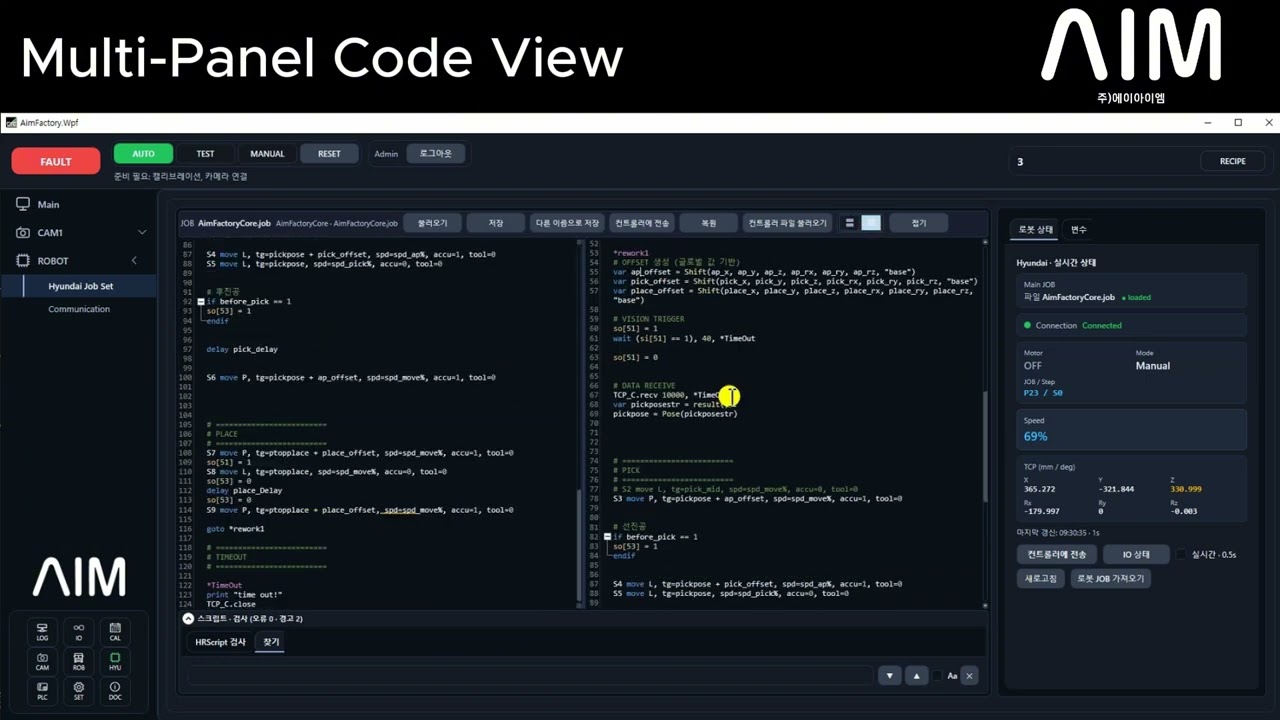
Hyundai Robotics × AimFactoryCore Integration Demo | AIM Vision
Live operating screen with Hyundai Hi6 controller connected to AimFactoryCore. Robot script editing, variable monitoring, I/O control, and coordinate delivery — all from one screen.
EFFECT
What changes
No waiting for a robot specialist to visit — the vision operator edits it right there.
No re-setup when the product changes — setup time drops.
No switching between robot and vision windows — find the cause on one screen.
APPLIED MODELS
This way of operating applies to these robots
HH4 · HH4E · HH7 · HH7E · HH8 — see specs, catalog, and CAD per model.
GET STARTED
Hyundai Robotics integration inquiry
Tell us your Hyundai robot model and controller version — we'll review whether integration is possible and how.